AI for Writers: How to Use AI Without Losing Your Voice
A thoughtful guide for writers on using AI tools effectively while maintaining authenticity. Learn when AI helps and when to write yourself.
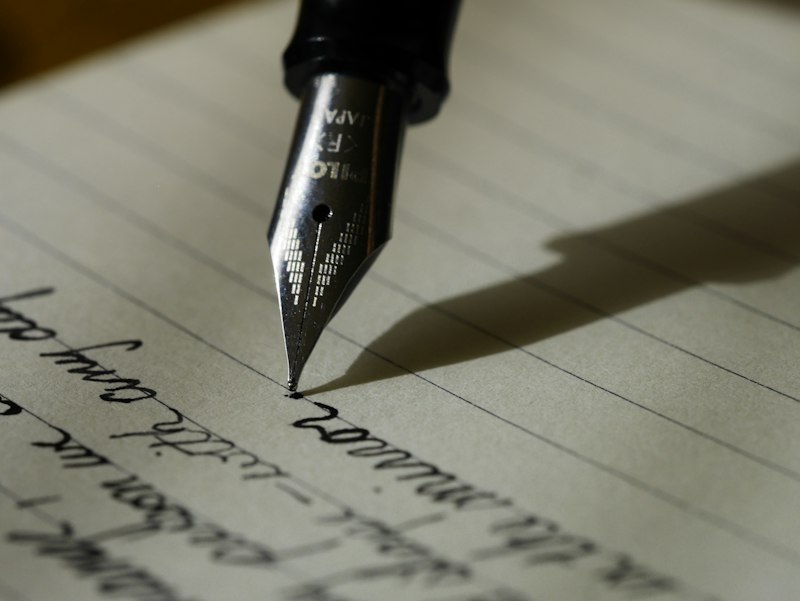
AI writing tools have sparked debates about creativity, authenticity, and the future of writing. This guide takes a practical approach: how can writers use AI effectively while preserving what makes their work unique?
The Writer’s Relationship with AI
AI is not here to replace writers. It’s a tool—like spell-check, dictionaries, or research databases. The question isn’t whether to use AI, but how to use it thoughtfully.
AI is helpful for:
- Overcoming blank page paralysis
- Research and fact-gathering
- Editing and refinement
- Administrative writing tasks
- Generating variations and alternatives
AI struggles with:
- Original insights and opinions
- Personal experiences and emotions
- Unique voice and style
- Understanding context deeply
- Knowing what not to say
How Writers Actually Use AI
Research Assistant
Use AI to accelerate research:
"Summarize the key arguments for and against
[topic]. Include the main proponents of each
view and any significant recent developments."
Follow-up questions:
- “What are the strongest counterarguments to X?”
- “What does the research say about Y?”
- “Who are the leading experts on this topic?”
Important: Always verify facts from primary sources. AI can summarize information but may include errors or outdated data.
Idea Generation
Breaking creative blocks:
"Generate 10 unique angles for an article about
[topic]. Focus on perspectives that haven't
been covered extensively."
"I'm writing a story about [premise]. Suggest
5 unexpected plot complications that could
raise the stakes."The goal isn’t to use AI’s ideas directly, but to spark your own thinking.
First Draft Assistance
Use AI for:
- Outlining structure
- Drafting routine sections (introductions, transitions)
- Generating placeholder text to fill gaps
Example workflow:
- Write your key points by hand
- Ask AI to help organize them logically
- Draft the piece yourself
- Use AI to suggest improvements
Editing and Revision
AI as an editor:
"Review this paragraph for clarity and concision.
Suggest specific improvements while maintaining
my voice."
"Identify weak points in this argument. What
questions might a skeptical reader have?""Find any clichés or overused phrases in this text."Administrative Writing
Best use cases:
- Emails and correspondence
- Bios and descriptions
- Social media posts
- Query letters (as starting points)
- Article pitches
Tools for Writers
General Writing
| Tool | Best For | Pricing |
|---|---|---|
| ChatGPT | Research, drafts, editing | Free-$20/mo |
| Claude | Long documents, nuanced work | Free-$20/mo |
| Notion AI | Integrated workflow | $10/mo add-on |
Fiction Writing
- NovelAI: Trained on fiction, better for creative work
- Sudowrite: Designed specifically for fiction writers
- AI Dungeon: Interactive story exploration
Academic/Professional
- Grammarly: Grammar, clarity, tone
- ProWritingAid: Deep style analysis
- Hemingway Editor: Readability focus
Preserving Your Voice
What Makes Writing Unique
AI writes competently but generically. Your voice comes from:
- Your experiences: Things only you have lived
- Your opinions: What you believe and why
- Your observations: How you see the world
- Your word choices: The specific language you prefer
- Your rhythm: How your sentences flow
Techniques to Maintain Authenticity
1. Write first, edit with AI
Start with your own words. Use AI to refine, not create.
2. Add personal elements AI can’t generate
Include:
- Specific anecdotes
- Personal opinions with reasoning
- Unique metaphors and comparisons
- Your genuine reactions
3. Rewrite AI suggestions in your words
If AI suggests something useful, rephrase it completely in your style.
4. Develop a “voice guide”
Document your writing preferences:
- Words you like/avoid
- Typical sentence length
- Tone markers
- Favorite techniques
Ethical Considerations
Disclosure
When to disclose AI use:
- Academic submissions: Always (usually prohibited)
- Journalism: Follow publication guidelines
- Marketing copy: Varies by context
- Fiction: No consensus yet
When AI use is generally accepted:
- Grammar and spell-checking
- Research assistance
- Brainstorming (not final content)
- Translation assistance
Copyright and Originality
- AI output isn’t automatically copyrightable (in most jurisdictions)
- Significant human creative input may establish copyright
- Check publication contracts for AI policies
- Keep records of your creative process
Academic Integrity
For students and academics:
- Most institutions prohibit passing off AI work as your own
- AI for research assistance is usually acceptable
- AI for brainstorming may be allowed
- Always check your institution’s policy
- When in doubt, disclose
Practical Workflows
Blog Post Workflow
- Research (AI-assisted): Gather information
- Outline (Human): Structure your argument
- Draft (Human + AI): Write key sections yourself, use AI for transitions
- Edit (AI-assisted): Check for clarity and errors
- Personal polish (Human): Add your voice, anecdotes, opinions
- Final review (Human): Ensure authenticity
Fiction Workflow
- Premise (Human): Your original idea
- Character sketches (Human): Who they are, what they want
- Plot exploration (AI-assisted): Test scenarios and complications
- First draft (Human): Write it yourself
- Revision (AI-assisted): Identify plot holes, pacing issues
- Line editing (Human + AI): Polish prose
Email Workflow
- Determine purpose (Human): What do you need?
- Draft (AI): Generate professional structure
- Personalize (Human): Add context, relationship, voice
- Review (Human): Does this sound like you?
Prompts for Writers
Research Prompts
"What are the strongest arguments for [position]?
What evidence supports each argument?"
"Explain [complex topic] in terms a general
audience would understand, without oversimplifying."Creative Prompts
"Suggest 5 unexpected character flaws for a
protagonist who is [description]. Explain how
each could create conflict."
"Generate 10 opening lines for a story about
[theme]. Vary the approaches: action, dialogue,
description, reflection."Editing Prompts
"Analyze this paragraph's pacing. Is it too slow
or too fast for [genre]? Suggest specific adjustments."
"Identify the strongest and weakest sentences
in this passage. Explain your reasoning."What AI Can’t Do for Writers
No Substitute for:
- Living your experiences: AI can’t have your life
- Developing taste: What makes something good?
- Taking creative risks: AI plays it safe
- Understanding your readers: You know them better
- Making meaning: Why does this matter?
The Human Advantage
Readers connect with writing because another human created it. AI can simulate this, but authenticity matters. The most powerful writing comes from genuine human experience and insight.
Getting Started
Week 1: Experiment
- Try AI for one routine writing task
- Note what works and what doesn’t
- Don’t use it for important work yet
Week 2: Develop Workflow
- Identify where AI helps most
- Create prompt templates
- Establish quality checks
Week 3: Refine Voice
- Compare AI drafts to your natural writing
- Document your style preferences
- Practice rewriting AI suggestions
Ongoing
- Adjust AI use based on results
- Stay updated on tool improvements
- Share learnings with writing community
Final Thoughts
The best AI-assisted writing is invisible as such. Readers should experience your ideas, your voice, your perspective—with AI merely helping you express them more clearly.
Use AI to handle the mechanical work so you can focus on what matters: having something worth saying and saying it in a way only you can.